jim546
Bench Player
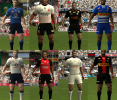
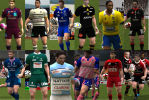
Top14 kits have been added to my Github page: https://github.com/jimw546/jimw546-s-Rugby-08-stuff/releases to download click on the link for the first .zip file.
Last edited:


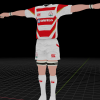
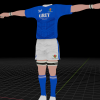
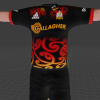

I can send you more close up shots if you want to?

Haha, all their kits are fire!
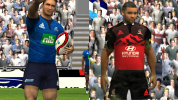
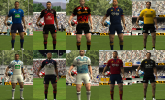
Wow, the level of detail is amazing.Added new kits for NZ Super Rugby teams, these will probably be updated/refreshed in the future once more images are available: https://github.com/jimw546/jimw546-s-Rugby-08-stuff/releases/tag/1.11
View attachment 12702
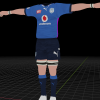
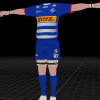
Can anyone find a good photo of the SA Sharks' away kit? They've updated it with a pattern on the upper body but haven't changed their merch/store with new kits.
Can anyone find a good photo of the SA Sharks' away kit? They've updated it with a pattern on the upper body but haven't changed their merch/store with new kits.

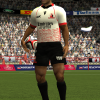
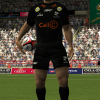
Pumping bro!Added SA clubs to the Github: https://github.com/jimw546/jimw546-s-Rugby-08-stuff/releases
View attachment 12810

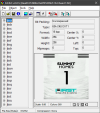
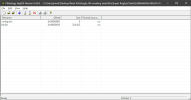
thank you Jim appreciateI can't give a full tutorial but I can give a rough outline. You will need the following programs:
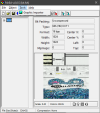
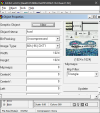
FshEd tool and the graphics import plugin, I can't remember where I got them originally but it may have been here: https://downloads.fifa-infinity.com/fifa-09/fshed-tool/ https://forums.nba-live.com/downloads.php?view=detail&df_id=68
BigGUI https://downloads.fifa-infinity.com/fifa-09/biggui-tool/
An image editor such as Photoshop, GIMP etc.
Kit and minikit templates https://docs.google.com/file/d/0B3w...YlU/edit?resourcekey=0-i8EzQdjKqeUruQLH9TVvSA https://drive.google.com/file/d/0B3...Tjg/edit?resourcekey=0-NB3i5p1OJ7Zqf2FdgXStkQ
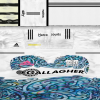
The back of the kits are saved as a .fsh file with 22 entries, individual kit backs for each player number. These can be Imported/exported using FshEd.
View attachment 13054
The front of the shirt is stored in a .big file which can be imported/exported using BigGUI. The .big file contains inside it "kit.fsh" for the kit front texture, and a config file used to select which collar the kit uses. Once you import a file using bigGUI mak sure you "rebuild" the file before closing it.
View attachment 13055
Minikits are in .fsh files with one file each for home-left, away-left, home-right, away-right.
For the kit fronts and backs you can re-name any files to match the correct name for the team you're editing. For the minikits you should directly edit a copy of the original file, as the minikit files have other info in them that locks them to their team.
I use GIMP to edit the kits. I use the templates linked above to create a "shadow layer", then add other logos, patterns etc below that.
View attachment 13058 View attachment 13059
At the bottom is the shirt front, which is at slightly below 1:2 ratio height:width. Above that is shorts, back of the shorts in the middle. top left is tape texture, top middle is sleeves, top right is socks.
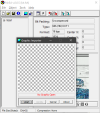
I export my design as a png, then use the graphics import plugin in FshEd to add my texture to the .fsh file.
View attachment 13057 View attachment 13056 View attachment 13062
The default is 512*512 pixels for the front of the kit, and 256*256 for the back. I've altered most of my kits to used dxt1 formatting to decrease the file size, and I use 1024*1024 textures for kit fronts.
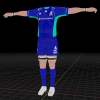
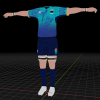
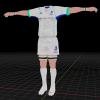
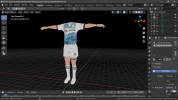
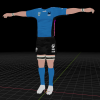
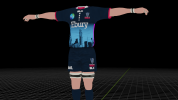
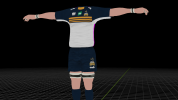
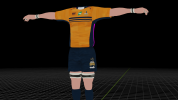
I also have a shirt model saved in Blender that I use to preview the textures, I've uploaded it to this post.
View attachment 13061
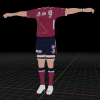
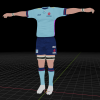
I don't know, at the moment I'm using Cheetahs - Moana and Leeds - Drua.which teams will the two new super teams replace