How do you keep the pads and flag poles textured? I've imported some stadiums, but the textures are missing in game on them? everything else works fineLooking for some more help. I've found some stadium models on Sketchup and converted them to Blender, one has worked well:
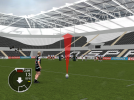
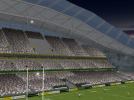
View attachment 10610
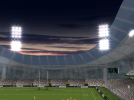
and one has not, I can't work out why this one hasn't come through properly apart from a rubbish import from sketchup:
View attachment 10611
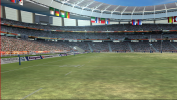
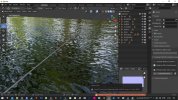
Here's what it's like in blender:
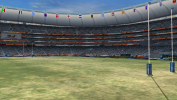
View attachment 10612
is there any list of all codes for the OTools program for each game it can work with?Maybe textures are wrong. Or vertex colors.
If the model uses textures with large names (more than 4 characters), Try to add
flag.Code:-genTexNames
For vertex colors, try
Code:-setVCol 7F7F7FFF
How do you keep the pads and flag poles textured?
I actually export the textures afterwards, I don't export the model with the dummy textures, could that be the cause? everything else is textured 100%If you've generated blank textures when extracting your stadium files, when you repack the files into the fsh you probably also packed the blank textures for the posts etc. so the game loads these instead of the other graphics. Do not re-pack these into textures.fsh: flag, flgp, ads0 ads1 ads2 ads3, post, pada, padb, xbar.
"what colour do the posts appear as in the preview window?" = PurpleProbably not, though if your modelling software can't find the textures listed above when initially importing the model it may cause issues with keeping the textures linked. If you're using Blender, what colour do the posts appear as in the preview window?
A pink/magenta/purple colour means the posts have a texture assigned but Blender can't find the texture image in your workspace. It usually looks for the texture in the folder your project is saved in, or a sub-folder called textures. Try adding pada.png, padb.png, post.png and xbar.png (follow instructions on page 1 to get dummy textures if needed) to your workspace and re-load the stadium in Blender. If you use the dummy textures the posts should show up white in Blender.Purple
Thanks I will give it a go tonight, also the stadiums you are busy with have you managed to get the crowds to work?A pink/magenta/purple colour means the posts have a texture assigned but Blender can't find the texture image in your workspace. It usually looks for the texture in the folder your project is saved in, or a sub-folder called textures. Try adding pada.png, padb.png, post.png and xbar.png (follow instructions on page 1 to get dummy textures if needed) to your workspace and re-load the stadium in Blender. If you use the dummy textures the posts should show up white in Blender.
excellent work. I like that more people join the update of the game, in itself it would be very good to have the updated stadiums. In my case, the only thing I could do was try to make some stages resemble reality as much as possible with the graphic tools at my disposal. What I do ask is that each work they do is shared with the active members of the forum.Looking for some more help. I've found some stadium models on Sketchup and converted them to Blender, one has worked well:
View attachment 10610
and one has not, I can't work out why this one hasn't come through properly apart from a rubbish import from sketchup:
View attachment 10611
Here's what it's like in blender:
View attachment 10612
Of course, once this is a bit more refined I'll upload it here.What I do ask is that each work they do is shared with the active members of the forum.


Here: https://bitbucket.org/fifam/otools/src/master/README.mdis there any list of all codes for the OTools program for each game it can work with?
I think lights are in Config.binnot bad! if I'm correct the flood lights are in the fx.bg file which are .jdi files, do you or anyone perhaps know how we can edit them in blender?
https://mega.nz/file/8HglzaoZ#xdIeBO_do1Hde5ULkdXPOScISqLXY5JnMzFsRhPhNJ0Do you know where I can find a shirt/kit model to use as a template for fitting player head models into in Blender? Would make making neck/collar areas easier.
Can you open .gltf in Notepad and check what's there on that line (230)?After that I export the stadium_0.o file. It creates a GLTF, but when I try to import this file to blender I get this error, can you help me?
View attachment 11949View attachment 11950
I have some filenames, but not allIs there an easy way to find the plaintext/english translation of the MD5 file names? In your first tutorial posts you make reference to them but I don't know where to find a list/etc of them or what file structure is used by the game.
It's different for each game. There's no restriction on texture resolution in fsh itself.@Dmitri Are there any polygon or texture res limitations?
Simple things like a high res textures for the grass would look great.
From the looks of it the crowd is just a plane with an animated texture. Could this be replaced with some low poly models?